

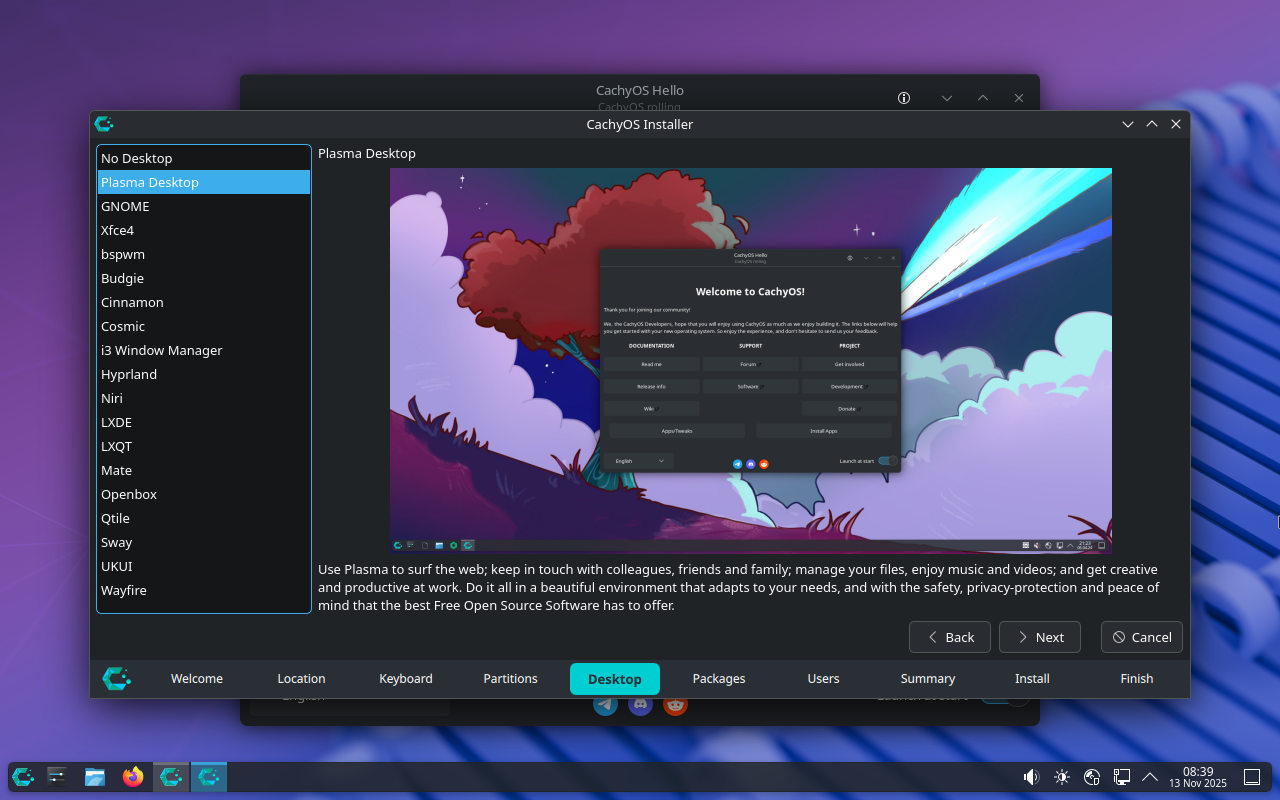
It’s very nice to not have a dozen different versions of the same distro to parse through and figure out that are simply the same distro with a different DE. Moreover, very few of them offer this many options.
Cachy could be doing a better job explaining what the user is looking at here and who each of these is for. Pretty easy to sum up in 1-2 sentences…
You sure can but that involves:
Knowing the option exists
knowing where it is
Not screwing it up
reading the manual is sort of compulsory if you want to do stuff like changing DEs, and for most people (read: the 99% that don’t know what “operating system” means) the mere existence of a choice is enough to cause paralysis.
i really do like the new wave of “opinionated” distros like kalpa, cachy and aeon where the system takes care of most issues rather than the user having to deal with them. shows maturity. but this selector screen sort of runs contrary to that. either be opinionated or be fully free, imo.
You don’t need to read anything to use the system in OP.
Paralysis is solved by a simple explanation and recommendations.
idk if you’ve ever tried to guide people unfamiliar with computers through troubleshooting over the phone, but my experience is that the more explanations are given the more they despair, and the more choices are given the more confused they get.
I mean that’s fair but they have to make this choice regardless. Open up the Fedora website or uBlue or Mint and see how are these DEs are presented much less clearly there.
yeah but that’s a step removed. if i’m helping someone set up a machine i will usually make the media beforehand, but they need to be present to set up their name and password.
Well then you can choose a DE for them, as well?
of course but it doesn’t help the “this isn’t that hard” case.
Lol nobody Rs TFM anymore. I’m in the middle of having ChatGPT teach me terraform lol.
cringe