

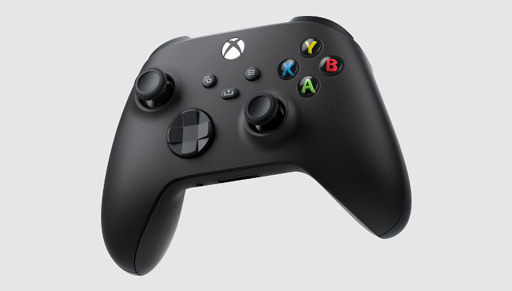
Valve released a new Steam Deck Beta update that includes a useful tweak to its Xbox controller detection.
There’s a bit of a problem with modern Xbox controllers and Bluetooth, where they won’t properly connect up with SteamOS / Linux unless they’ve gone through a firmware update. I’ve seen a lot of support requests about this issue over the years and so it’s good to see Valve highlight it directly. While it’s a Steam Deck Beta Client update, it should apply to other SteamOS devices too.
I’d personally buy a new controller from anyone that isn’t mucrosoft before I flash new firmware on a controller
Sometimes new firmware is good, though. The feature recently added to the PS5’s Dualsense that allows them to pair with multiple devices was such a huge QoL change.
Still fuck Microsoft though.
The 8BitDo Ultimate Wireless 2 also only received full Steam Input capabilities after a couple firmware updates to the Controller and 2.4g dongle.
Does that only apply to playstations or can you pair to multiple PCs? Might have to upgrade then.
Multiple PCs, or phones even. It’s very nice for using between my console, desktop, and Steam Deck.
Basically the controller has 4 pairing slots it will remember. The original PS5 it connects to is remembered as slot #1, but you can manually change it by remapping it to a different slot.
The different slots are activated by holding the home/PS button and one of the 4 face buttons for a couple seconds, or hold it for about 5-ish seconds to enter pairing mode for that slot. Pressing the PS button alone like normal defaults to the last used slot.
The controller does need to be turned off before switching devices, which can be done just by holding the PS button for 5-ish seconds. But I can be playing a game on PC, get a message from a friend to hop on Nightreign on PS5, disconnect from my PC by holding the PS button for a few seconds, and then press PS+Triangle to turn on the PS5 using the same controller.
Way better than my previous setup, which was to have 1 dedicated PS5 controller and 1 dedicated PC controller, then bitch and moan if I ever had to unpair/repair the second controller on PC or try to find my USB cord to pair again with PS5.
Edit: also worth mentioning that you don’t need a PS5 to update the controller firmware, Sony released a firmware updating tool for PC that can be used to update controllers when plugged in using USB.
You might be interested to know that when connected to a PC and using Steam you can turn off the controller quickly with PS+Triangle.
God damn that is a nice little feature.
Agreed. Multi-pairing is such an underrated feature. It’s especially great when it comes with a hardware selector (in case you’ve got multiple devices paired in range).
I picked up a Logitech mouse that pairs up to 3 devices and has a button+LED’s on the bottom to switch between. It’s awesome
Are you trying to say, “Don’t buy a Xbox controller then flash it”? I can understand the decision to not do business with MS, but I assume most people already possess that controller and are trying make use of what they have.
This is not a critique, I just don’t understand what you are intending to communicate.
I assume the new ms firmware will inject copilot into the controller and make it worse. zero trust in anything microsoft
I mean, that just makes you an idiot.
sure whatever.
Why?
Maybe they like bugs that make their controller incompatible with other systems other than the manufacturers.
I’m often reluctant to upgrade firmware. Often because I like to tinker and upgrading firmware (now-a-days) doesn’t allow downgrading. Which is kinda silly (from a technical perspective) as it “forces” you to keep chasing the next updates for hardware I own.
If my network printer works and addresses all my needs (works on windows, apple, Linux, and Android) - I don’t gain a lot by upgrading the firmware, but I do risk a lot (in terms of compatibility) if I do upgrade (with no downgrade path).
Like wise with my controller firmware. I only update if it’s something in the internet (printer doesn’t count as it’s firewalled off) or if something is broken/I’m not happy with the device.
deleted by creator
I assume its just gonna get injected with copilot or some nonsense. zero faith in anything microsoft
8bitdo is perfect. There is no reason to buy anything else these days.
Do they make a pad that is exactly like the upcoming Steam Controller Mk.II, except with two extra face buttons next to B & Y (like an old Sega controller)? It should also have cooling fans for my hands without sacrificing rumble (just like an old Logitech controller I had back in the day).
Something like that is my dream controller and I’ve been waiting for someone to come along and make it for years. At this point I think I’m going to have to buy a 3D printer, and get in touch with someone who fabricates circuit boards, because I’m tired of waiting.
I don’t care about the fans, but having six face buttons instead of four would be huge for certain things, like emulating certain consoles.
Ex-fucking-actly! A world of possibilities would open up in the realm of emulators with a 6 button pad.
I’ve bought an EasySMX X20 and will never buy anything else