Quality article - thanks for sharing!
I used to make (very bad) ASCII art as a hobby during my PhD (it’s good for relaxing), and a lot of the “smoothing” I learned but I think the method for good contrast would have really helped back then!
Really cool article. Except this bit:
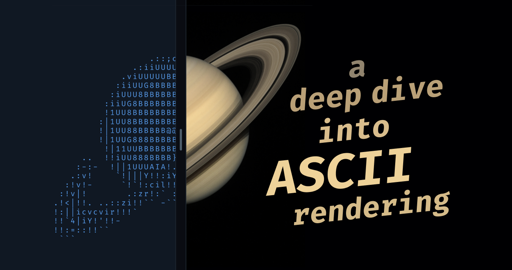
The image of Saturn was generated with ChatGPT.
Fucking why? Could have saved time and energy with traditional search. Leave the slop out, please.
Not to mention that real high quality astrophotography by NASA and ESA is more often than not under free licenses. Literally the last case where it’s necessary to generate something.
Exactly, makes no sense to me
Laziness. That’s all it is
Moral laziness
Absoutely. It takes like 5 seconds to get a real photo.
But I have considerable downvotes on my original comment. Maybe bots. Maybe AI bros who need to see the light and that their tech is based on the death of IP law.
They needed to make sure it’s wrong
𓀥 | 𓁆 𓀕
𓁆 𓀟 | 𓀣 𓁀
.:|:;I hate this, +1
What? My mother was a saint!
I really love when people share this kind of articles, they are so entertainment and you learn a lot.
This guy built an image-to-ASCII renderer.
This is so impressive!!!
Mesmerizing…

I made one myself many years ago for DOS, but mine renders in 512 pseudo halftone colors from a base palette of 16 colors. Results look pretty nice for whatever it’s worth, but yeah mine doesn’t focus on their efforts to get more crisp edges.
Still neat though, food for my thoughts even, should I ever revisit my old project.
Yes you should, this would be awesome with a special focus on the crisp edges!
I’m not exactly sure how I’d incorporate both techniques into the same rendering system though.
My method doesn’t use letters, numbers or punctuation characters, mine uses the DOS mode block characters, blank space, 25%, 50%, 75% halftone characters, and the 100% solid block character.
I could probably get a little closer to sharper shape edges with my method if I add in the upper half block and lower half block characters, but when using those characters I’m no longer able to use the halftone dithering and would be limited to 8 background and 16 foreground colors…
I dunno where I’d really even start (over) again to use alphanumeric characters with my text rendering method…
Maybe converting the DOS blocks to ANSI blocks. But i don’t know if this is feasible with your coding…
Yeah, I don’t think that’s particularly feasible with my prime directives in coding things meant to render on a potato. If I’m ever gonna revisit that old code again, I want it to continue to be able to run on old-school 286 CPUs, real raw hardware.
Like sure I don’t mind writing old QBasic/QuickBasic code under an emulator, but if I’m writing on such an antiquated language for legacy hardware, I wanna be able to transfer it to a floppy disk and run it on actual hardware from the era.
Other than that, going back to the good old days, I don’t see much reason to do such coding on modern systems. Though I will say this much, neofetch and the newer fastfetch are pretty awesome character based sysinfo utilities!
I just don’t see myself trying to jump through conversion hoops such as ASCII to ANSI for such a project to even keep me awake…
Would love to see your implementation. Have you considered making it public?
Sure, have at it!
Sorry it’s not a full complete dump with examples, but it’s programmed in QBasic 1.1 and converts raw RGB pixel data into equivalent closest matching color halftone onscreen characters. I designed it in mind with DOS text modes of either 80x25, 80x43, or 80x50 text modes, but I’m sure the technique can work with any text mode that can properly render the old DOS block characters. But, I’m betting that whatever device you’re using right now is almost certainly not configured to display the old DOS block characters as they were back in the day.
Good luck!
REM TEXTPSET.BAS REM over_clox - February 26, 2008 DECLARE SUB DisplayRAW (FileName$, W%, H%) DECLARE SUB TextPSet (X%, Y%, R%, G%, B%) DECLARE SUB TextPixel (Red%, Green%, Blue%, Char$, FGround%, BGround%) DECLARE SUB HTMtoRGB (HTMColor$, Red%, Green%, Blue%) TYPE PaletteType R AS INTEGER G AS INTEGER B AS INTEGER END TYPE REDIM SHARED DOSPalette(15) AS PaletteType REDIM SHARED FakePalette(15, 7, 1 TO 3) AS PaletteType RESTORE FOR I% = 0 TO 15 READ HTMColor$ HTMtoRGB HTMColor$, R%, G%, B% DOSPalette(I%).R = R% DOSPalette(I%).G = G% DOSPalette(I%).B = B% NEXT FOR C% = 1 TO 3 C2% = 4 - C% FOR B% = 0 TO 7 FOR F% = 0 TO 15 R1% = DOSPalette(F%).R: R2% = DOSPalette(B%).R G1% = DOSPalette(F%).G: G2% = DOSPalette(B%).G B1% = DOSPalette(F%).B: B2% = DOSPalette(B%).B FakePalette(F%, B%, C%).R = (R1% * C% + R2% * C2%) \ 4 FakePalette(F%, B%, C%).G = (G1% * C% + G2% * C2%) \ 4 FakePalette(F%, B%, C%).B = (B1% * C% + B2% * C2%) \ 4 NEXT NEXT NEXT 'MS-DOS Text Mode 16 Color Palette DATA 000000,0000AA,00AA00,00AAAA,AA0000,AA00AA,AA5500,AAAAAA DATA 555555,5555FF,55FF55,55FFFF,FF5555,FF55FF,FFFF55,FFFFFF CMD$ = COMMAND$ IF CMD$ <> "" THEN DisplayRAW CMD$, 80, 25 ELSE DisplayRAW "LOGO.RAW", 80, 25 END IF 'DEF SEG = &HB800: BSAVE "LOGO.BSV", 0, 4000 COLOR 7, 0 DO: Hit$ = UCASE$(INKEY$): LOOP WHILE Hit$ = "" SUB DisplayRAW (FileName$, W%, H%) FileNum% = FREEFILE OPEN FileName$ FOR BINARY AS FileNum% CLS : WIDTH W%, H% ScanLine$ = SPACE$(W% * 3) FOR Y% = 0 TO H% - 1 GET #1, , ScanLine$ FOR X% = 0 TO W% - 1 R% = ASC(MID$(ScanLine$, X% * 3 + 1, 1)) G% = ASC(MID$(ScanLine$, X% * 3 + 2, 1)) B% = ASC(MID$(ScanLine$, X% * 3 + 3, 1)) TextPSet X%, Y%, R%, G%, B% NEXT NEXT CLOSE FileNum% END SUB SUB HTMtoRGB (HTMColor$, Red%, Green%, Blue%) Red% = VAL("&H" + MID$(HTMColor$, 1, 2)) Green% = VAL("&H" + MID$(HTMColor$, 3, 2)) Blue% = VAL("&H" + MID$(HTMColor$, 5, 2)) END SUB SUB TextPixel (Red%, Green%, Blue%, Char$, FGround%, BGround%) ' °±²Û (32,176,177,178,219) Diff% = 768: BGround% = 0 FOR F% = 0 TO 15 RDiff% = ABS(DOSPalette(F%).R - Red%) GDiff% = ABS(DOSPalette(F%).G - Green%) BDiff% = ABS(DOSPalette(F%).B - Blue%) NewDiff% = RDiff% + GDiff% + BDiff% IF NewDiff% < Diff% THEN Diff% = NewDiff%: Char$ = "Û": FGround% = F% END IF NEXT FOR C% = 1 TO 3 C2% = 4 - C% FOR B% = 0 TO 7 FOR F% = 0 TO 15 RDiff% = ABS(FakePalette(F%, B%, C%).R - Red%) GDiff% = ABS(FakePalette(F%, B%, C%).G - Green%) BDiff% = ABS(FakePalette(F%, B%, C%).B - Blue%) NewDiff% = RDiff% + GDiff% + BDiff% IF NewDiff% < Diff% THEN Diff% = NewDiff%: Char$ = CHR$(175 + C%) FGround% = F%: BGround% = B% END IF NEXT NEXT NEXT END SUB SUB TextPSet (X%, Y%, Red%, Green%, Blue%) TextPixel Red%, Green%, Blue%, Char$, FGround%, BGround% LOCATE Y% + 1, X% + 1: COLOR FGround%, BGround%: PRINT Char$; END SUBYou are amazing. Thank you very much for delivering! Half of the fun is discovering how it works without examples so no need to apologise :^)
I need to look into running QBasic on my M4. Unsure about my options for now. Worst case scenario I spin up a VM tomorrow.
Meh, DOSBox is plenty suitable enough, and QBasic is easy enough to find…
https://winworldpc.com/product/qbasic/1x
I can’t promise that DOSBox emulated results will give the exact color results as original old-school hardware on an old CRT, but results should still be mighty close.
The raw input data files are pretty simple to generate with most graphics software, just downsample down to potato 80x25, then export to raw 888 RGB format.
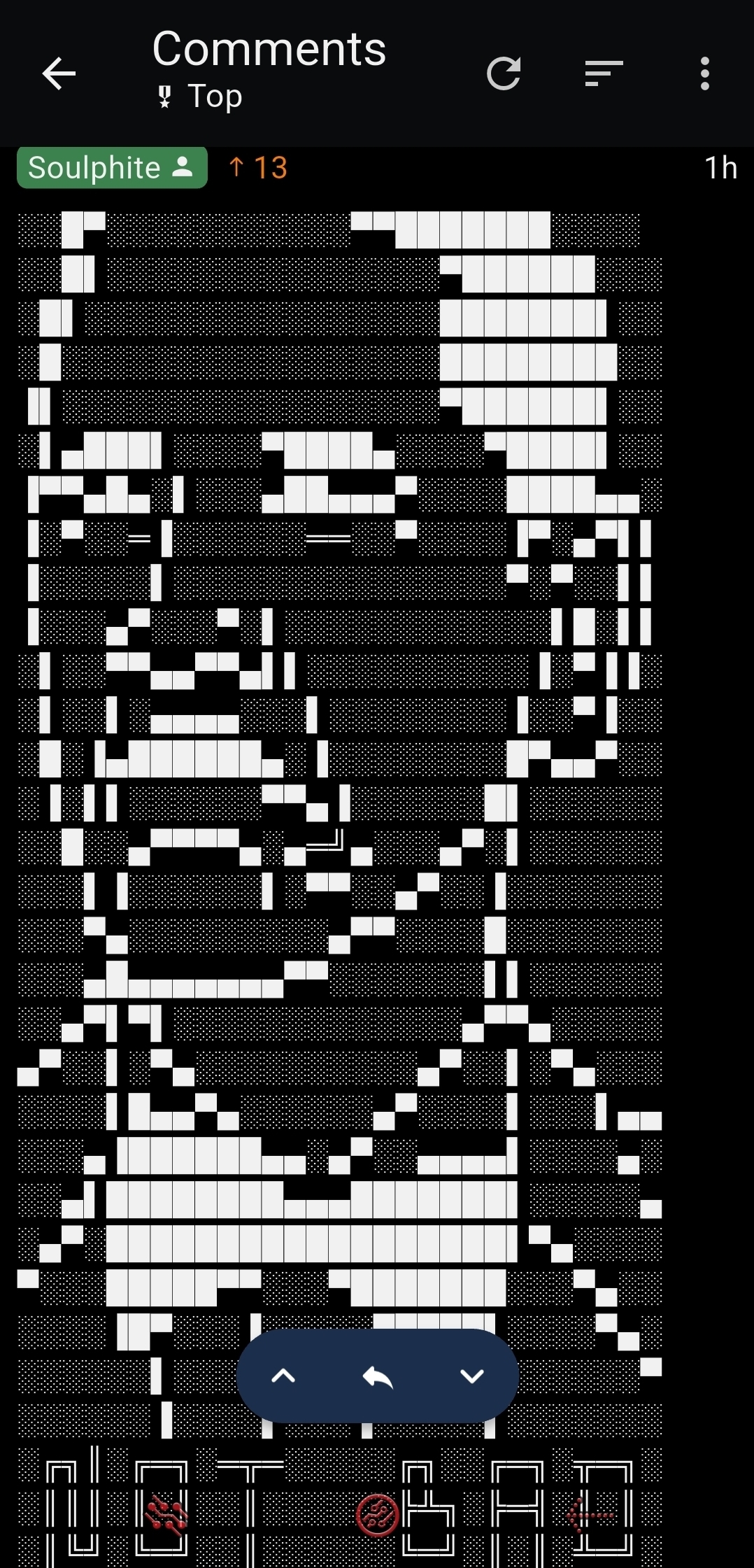
░░█▀░░░░░░░░░░░▀▀███████░░░░ ░░█▌░░░░░░░░░░░░░░░▀██████░░░ ░█▌░░░░░░░░░░░░░░░░███████▌░░ ░█░░░░░░░░░░░░░░░░░████████░░ ▐▌░░░░░░░░░░░░░░░░░▀██████▌░░ ░▌▄███▌░░░░▀████▄░░░░▀████▌░░ ▐▀▀▄█▄░▌░░░▄██▄▄▄▀░░░░████▄▄░ ▐░▀░░═▐░░░░░░══░░▀░░░░▐▀░▄▀▌▌ ▐░░░░░▌░░░░░░░░░░░░░░░▀░▀░░▌▌ ▐░░░▄▀░░░▀░▌░░░░░░░░░░░░▌█░▌▌ ░▌░░▀▀▄▄▀▀▄▌▌░░░░░░░░░░▐░▀▐▐░ ░▌░░▌░▄▄▄▄░░░▌░░░░░░░░▐░░▀▐░░ ░█░▐▄██████▄░▐░░░░░░░░█▀▄▄▀░░ ░▐░▌▌░░░░░░▀▀▄▐░░░░░░█▌░░░░░░ ░░█░░▄▀▀▀▀▄░▄═╝▄░░░▄▀░▌░░░░░░ ░░░▌▐░░░░░░▌░▀▀░░▄▀░░▐░░░░░░░ ░░░▀▄░░░░░░░░░▄▀▀░░░░█░░░░░░░ ░░░▄█▄▄▄▄▄▄▄▀▀░░░░░░░▌▌░░░░░░ ░░▄▀▌▀▌░░░░░░░░░░░░░▄▀▀▄░░░░░ ▄▀░░▌░▀▄░░░░░░░░░░▄▀░░▌░▀▄░░░ ░░░░▌█▄▄▀▄░░░░░░▄▀░░░░▌░░░▌▄▄ ░░░▄▐██████▄▄░▄▀░░▄▄▄▄▌░░░░▄░ ░░▄▌████████▄▄▄███████▌░░░░░▄ ░▄▀░██████████████████▌▀▄░░░░ ▀░░░█████▀▀░░░▀███████░░░▀▄░░ ░░░░▐█▀░░░▐░░░░░▀████▌░░░░▀▄░ ░░░░░░▌░░░▐░░░░▐░░▀▀█░░░░░░░▀ ░░░░░░▐░░░░▌░░░▐░░░░░▌░░░░░░░ ░╔╗║░╔═╗░═╦═░░░░░╔╗░░╔═╗░╦═╗░ ░║║║░║░║░░║░░░░░░╠╩╗░╠═╣░║░║░ ░║╚╝░╚═╝░░║░░░░░░╚═╝░║░║░╩═╝░
🤔


voyager rocks!
But also sucks battery.
Well no reason your battery can’t get some o valentine’s
Hello, fellow Thunder aficionado
These are pixels
You’re a pixel, man.
I thought this topic would be how different programs render ASCII characters into images of the letters, but then I realized that’s just what fonts are.
This is ASCII characters being used to render images. We used to do this on old mechanical typewriters as an enrichment activity in typing class.
I remember back in the day getting my mind blown by the BB demo on a live Linux CD (Knoppix?)
I only know the library for doing this stuff is libcaca just because it’s libpoop in spanish
The link gives me Application error: a client-side exception has occurred (see the browser console for more information).
Anyway here’s hasciicam.
:) Do you have WebGL disabled? It failed to open for me in LibreWolf, too. A less restrictive web browser should work.
Nice, less for video and more for images, but there’s also
Wow that was a much deeper dive than I expected, very interesting!